ATHL lets fans back athletes and creators by buying their tokens, and lets athletes raise funds and grow a supporter base. This guide takes you from sign-up to your first purchase (fans) or your first approved profile (athletes) in a few minutes.
Athletes and creators are called issuers on the platform. Everyone should read Staying safe.
Before you start
You need an email address you can open right now and a current web browser. Sign-in uses a one-time code emailed to you, so there is no password to remember. Create your account first, then pick your path.
Terms used in this guide
Term
What it means
Issuer
An athlete or creator who has been approved to sell tokens on ATHL
Token
The asset a fan buys to back one issuer
A-Bucks
ATHL's stored-value balance. Fans top up A-Bucks, then spend them on tokens
Marketplace
The page where fans search, filter and sort issuers
Watchlist
Issuers a fan follows from their dashboard without buying
Leaderboard
Live rankings of issuers, with category views
Referral link
A personal link that earns commission when referred issuers generate revenue
Creating your account and signing in
ATHL has no passwords. You sign up and sign in with a one-time code emailed to you, and the steps are the same for fans, athletes and creators.
Sign up
Go to Sign up, or let a purchase or application send you there. Choose how to finish setting up: as a fan, or as an issuer (athlete or creator).
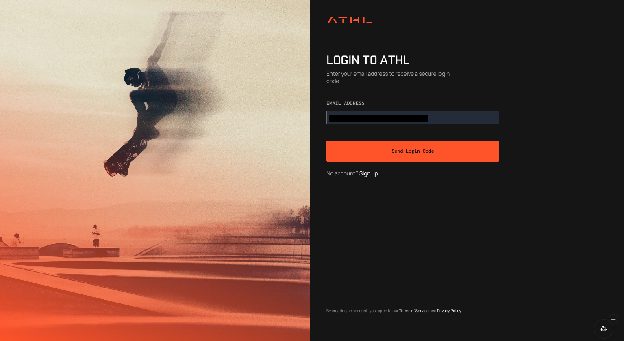
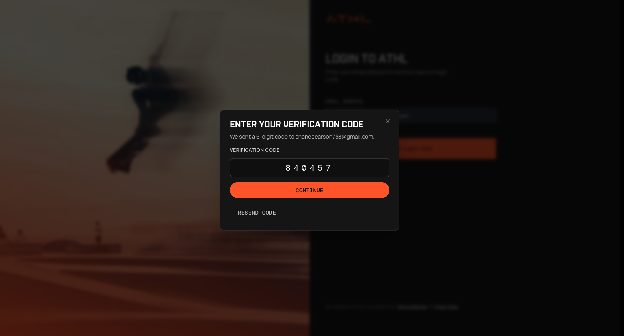
Enter your email address and select Send Login Code. A window opens asking for your verification code.
Open the email, copy the 6-digit code, enter it in the verification window and select Continue. You are signed in. If the email does not arrive, select Resend code.
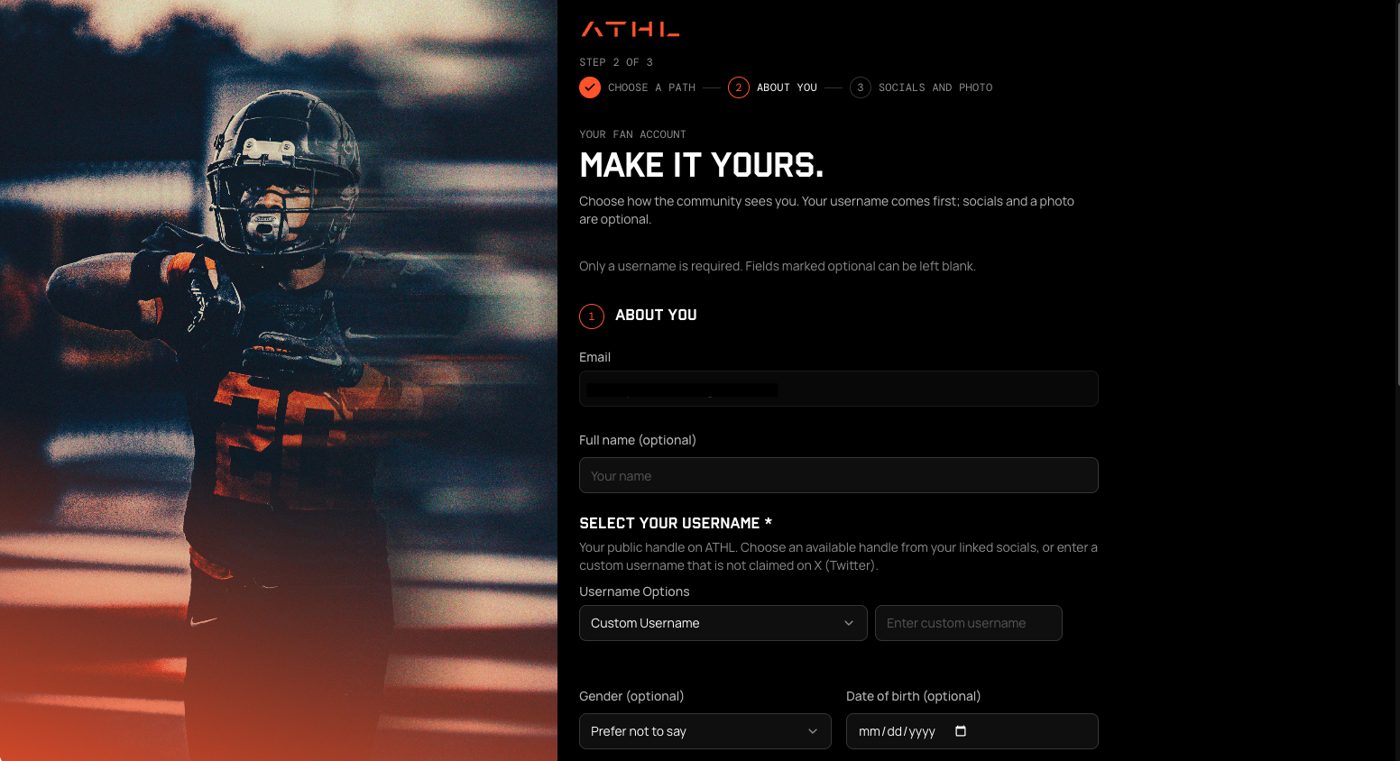
Fans finish a short profile: your full name (optional), a username (required), and optionally your social links. Your username must be unique, so if it is taken, pick another. Issuers continue into the application (see Athlete onboarding).
If you started from a purchase, you return to it automatically.
Enter your email on the sign-in page.Enter the 6-digit code from your email.Fans finish a short profile. Only the username is required.
Sign in again later
Go to Login, enter your email, select Send Login Code, and enter the 6-digit code sent to your inbox. Each sign-in needs a new code.
If the code does not work
Check the email address for typos. ATHL rejects an invalid address before sending.
Look in your spam folder, then select Resend code.
Enter all six digits. If the code is rejected, request a new one and use the newest email.
Still failing? Email support@athl.live.
Fan onboarding
A fan can browse without an account and only signs up when ready to buy. Your purchase resumes automatically after sign-up.
Find an athlete
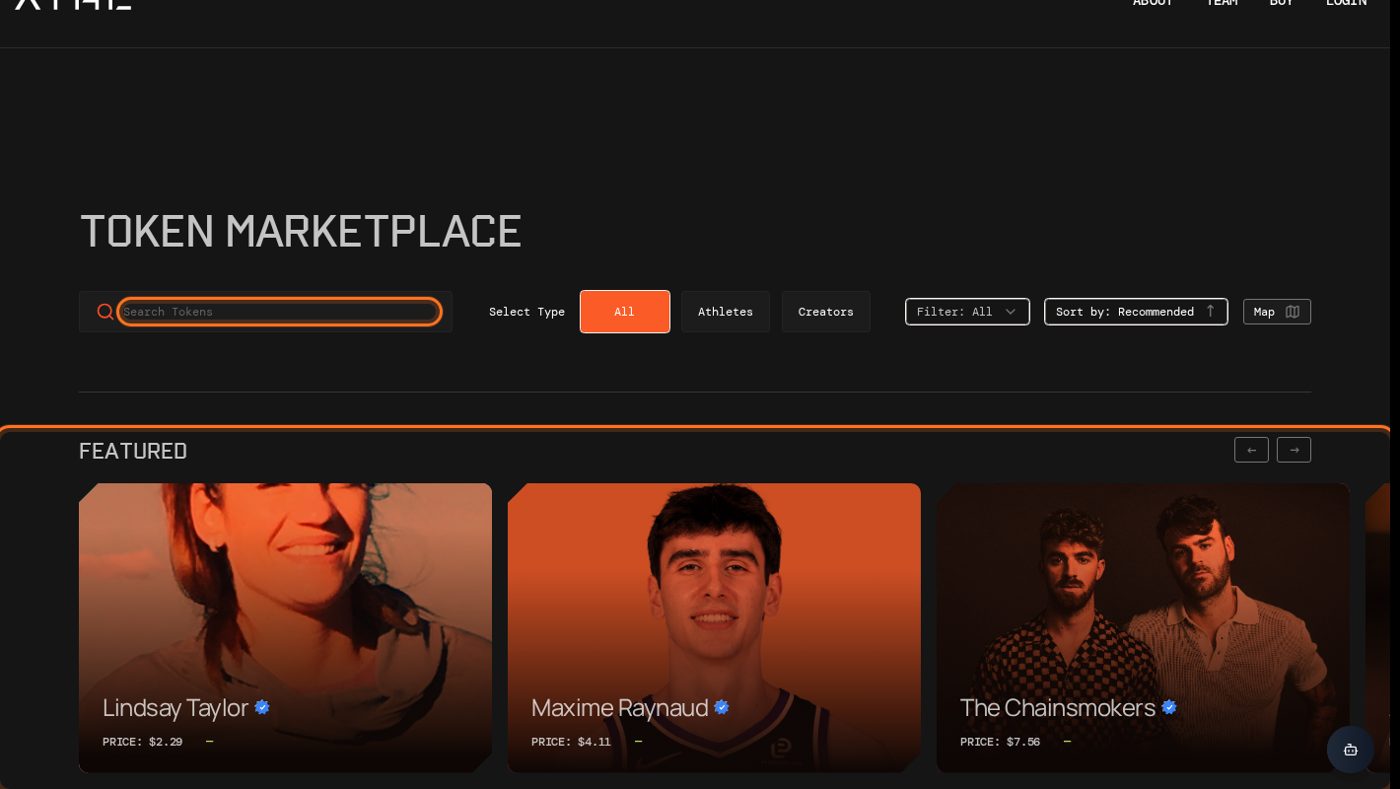
Open the Marketplace. Search by name, or switch between athletes and creators with the issuer-type toggle.
Sort by availability or price to focus on issuers you can buy right now.
Open Leaderboard to browse live rankings by category if you want ideas.
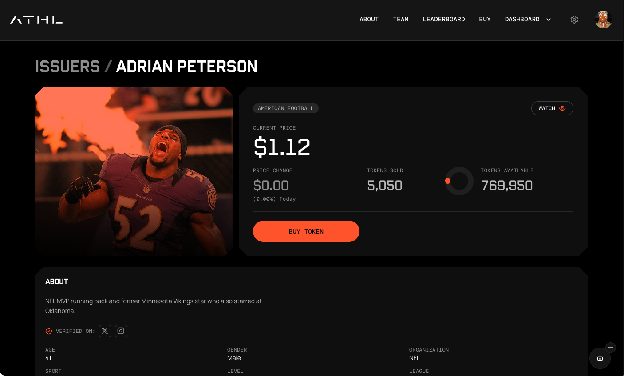
Select an issuer to open their public profile.
The marketplace, with search, filters and issuer shelves.An issuer's public profile, with the Buy Token button.
Buy your first tokens
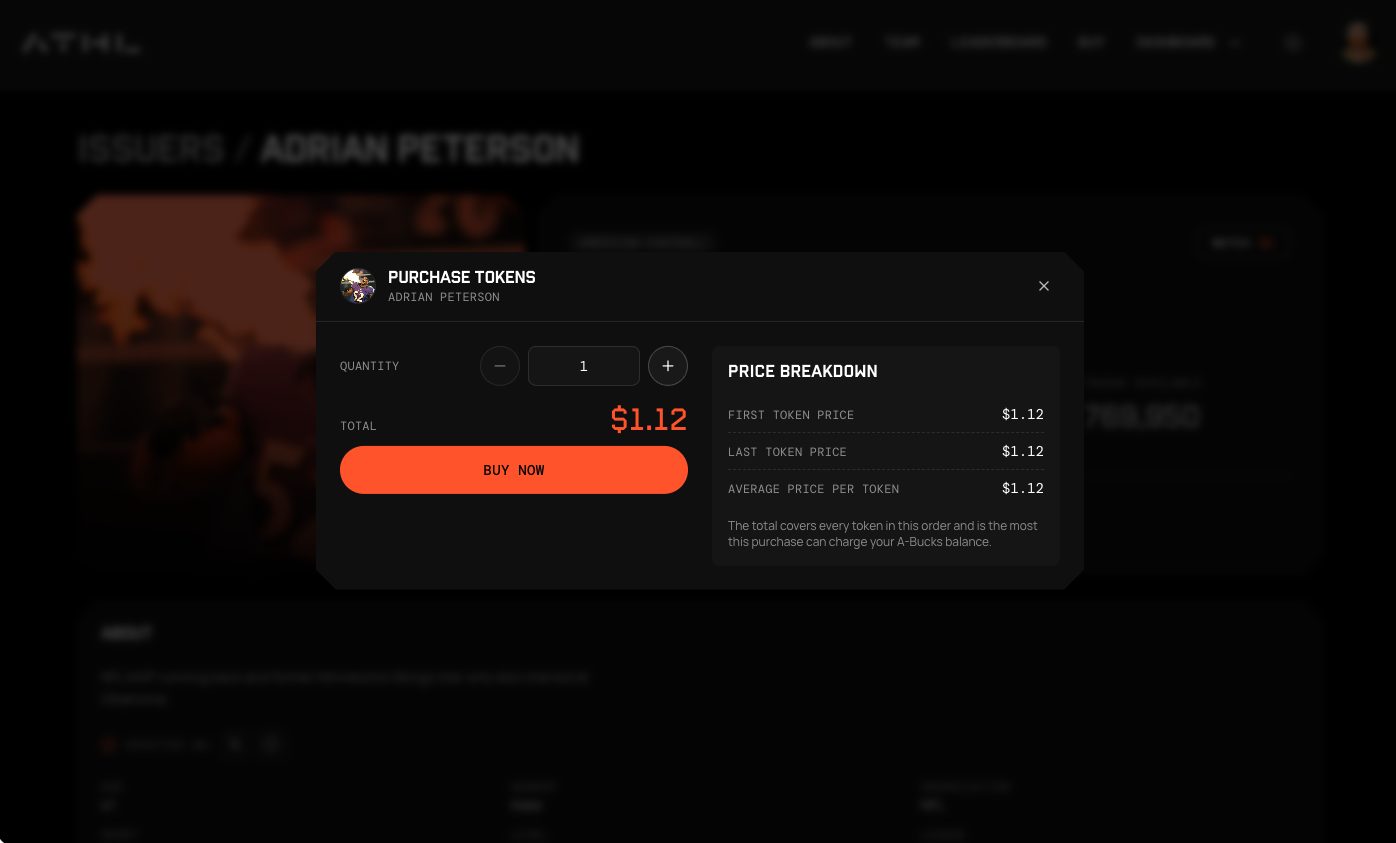
On the profile, choose Buy and set the quantity. The purchase window previews price and order total before checkout.
Select Buy Now, then confirm the order.
If you are signed out, you are asked to sign in. New here? Follow Creating your account and signing in, and your purchase resumes when you finish.
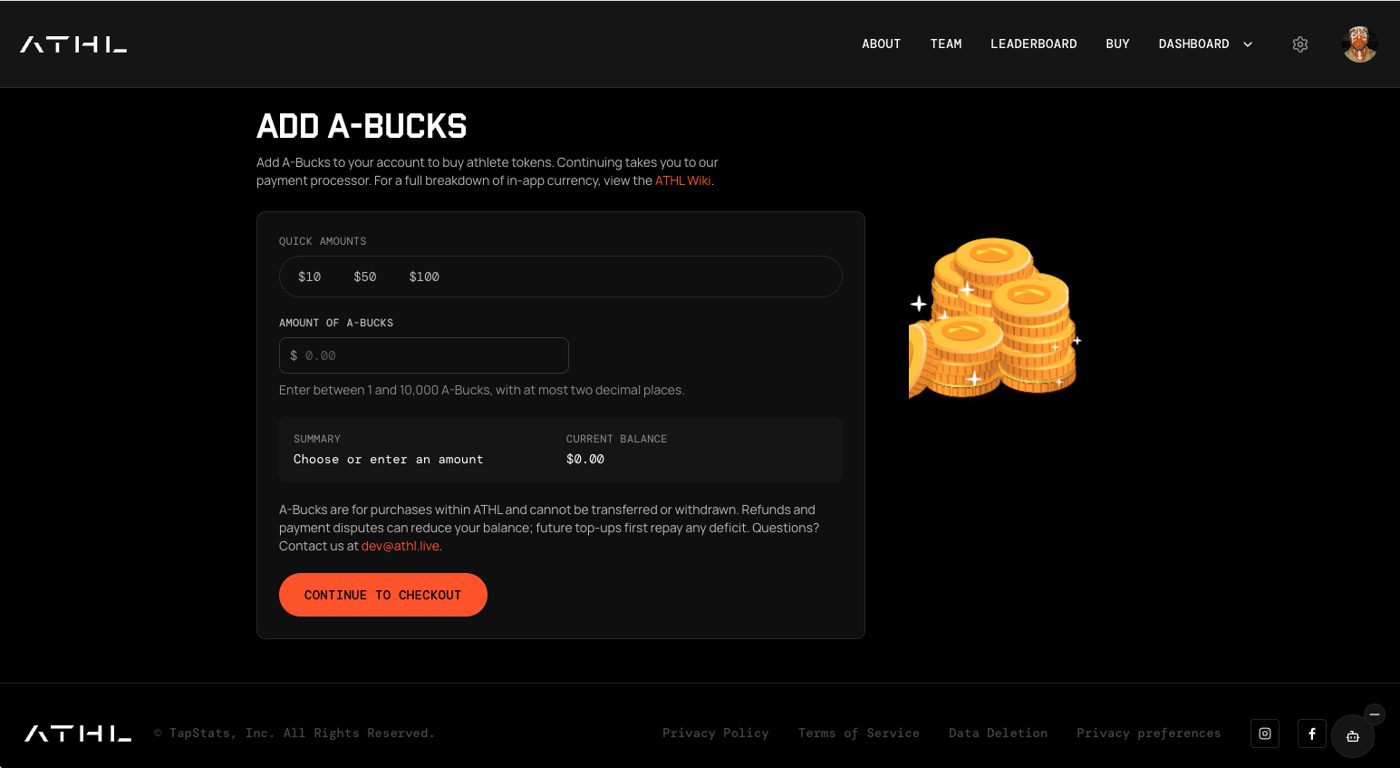
If your balance is too short, ATHL opens the Add A-Bucks page with the exact shortfall already filled in. Top up (see Buying A-Bucks), and the purchase picks up where it stopped.
The purchase window shows quantity, price breakdown and total.The Add A-Bucks page.
After you buy
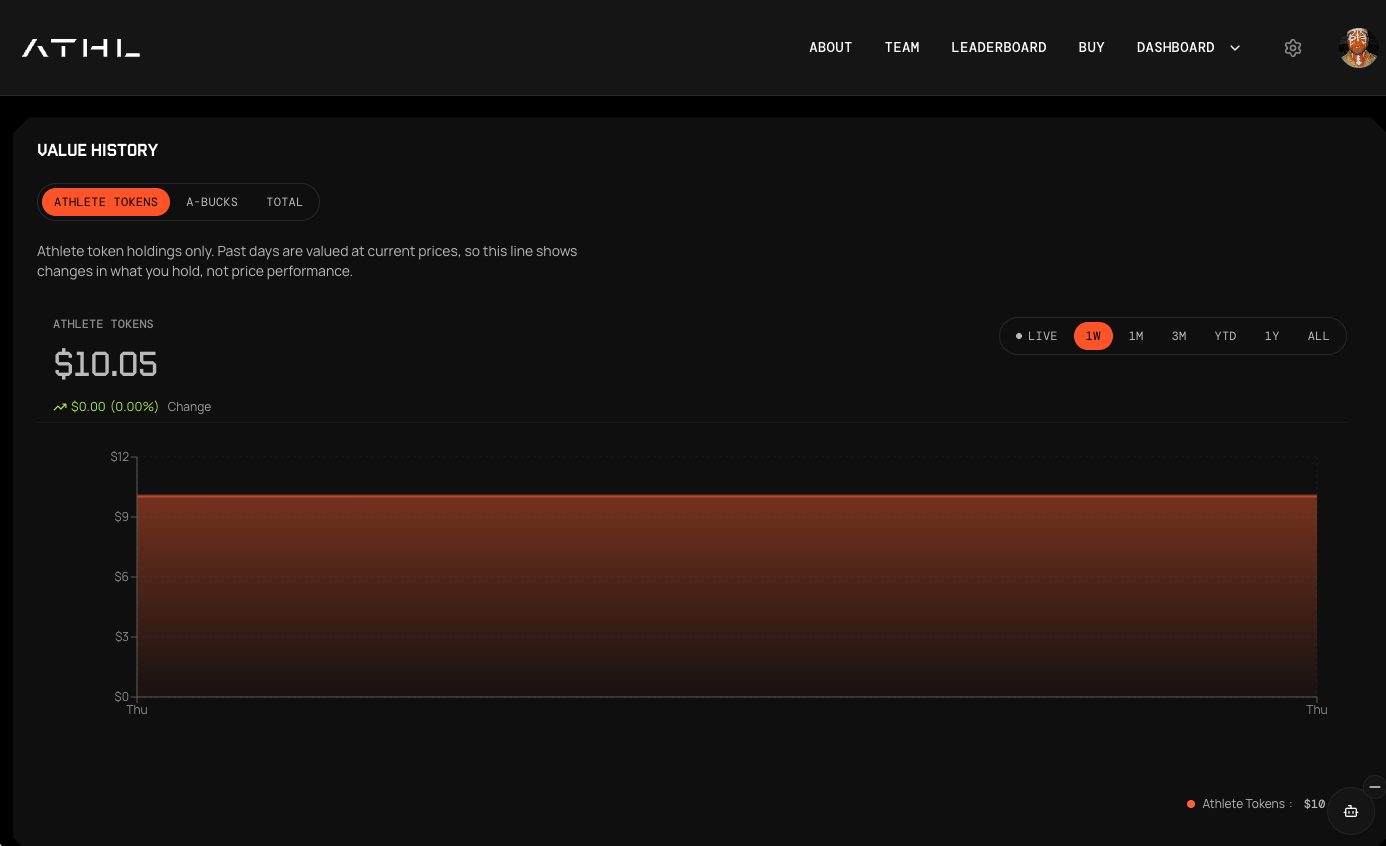
Your Fan Dashboard summarizes portfolio activity and recent purchases.
Use the profile's action menu to watch an issuer. Watched issuers appear in a watchlist table, and unwatch removes them immediately.
The dashboard also shows trending tokens to keep discovery going.
Open the Referral Dashboard for your personal link, joined users and earnings (see Tokens and referrals).
The Fan Dashboard tracks the value of your holdings over time.
Buying A-Bucks
A-Bucks are the balance you spend on tokens. 1 A-Bucks equals 1 US dollar, and you pay through Stripe Checkout.
Sandbox mode
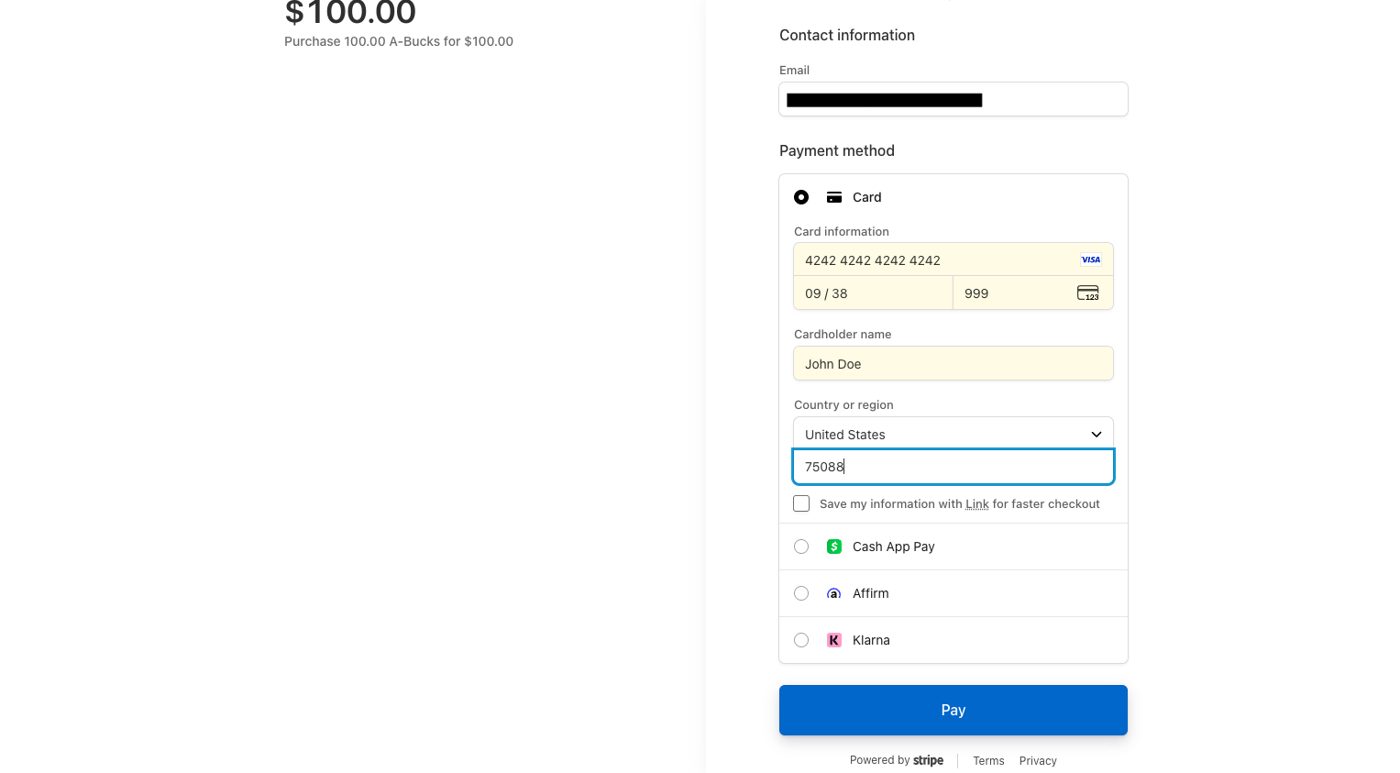
ATHL payments are currently in Stripe's sandbox. No real money moves and real cards are declined, so always pay with the Stripe test card below.
Steps
Open the Add A-Bucks page from Buy in the top menu. If a token purchase needs more A-Bucks, ATHL opens this page for you with the shortfall already filled in.
Pick a quick amount ($10, $50 or $100), or enter an amount of A-Bucks from 1 to 10,000 with up to two decimal places.
Select Continue to checkout. ATHL sends you to Stripe Checkout, a secure payment page run by Stripe, our payment processor.
Enter the test card details below.
Complete the payment and return to ATHL. If you came from a token purchase, go back to that profile and finish buying.
A-Bucks are for purchases within ATHL. They cannot be transferred or withdrawn.
Stripe test card
Test card number
4242 4242 4242 4242
Expiry: any future dateCVC: any 3 digits
Field
Enter
Card number
4242 4242 4242 4242
Expiry
Any future date, for example 12/34
CVC
Any 3 digits, for example 123
Name and postal code
Anything, for example 12345
Email
Your own address
Never enter a real card number in sandbox mode. This page will change when payments go live.
Stripe Checkout in sandbox mode with the test card entered.
Athlete onboarding
Athletes and creators apply through a short multi-step form, and the ATHL team reviews each application before a profile goes live. Applications are reviewed within 48 hours.
Apply
Choose Sign up as an issuer and sign in with the code emailed to you.
Funding goal: enter how much you want to raise. This sets your token economics.
Identity: add your full name and choose a unique username, which becomes your public profile address.
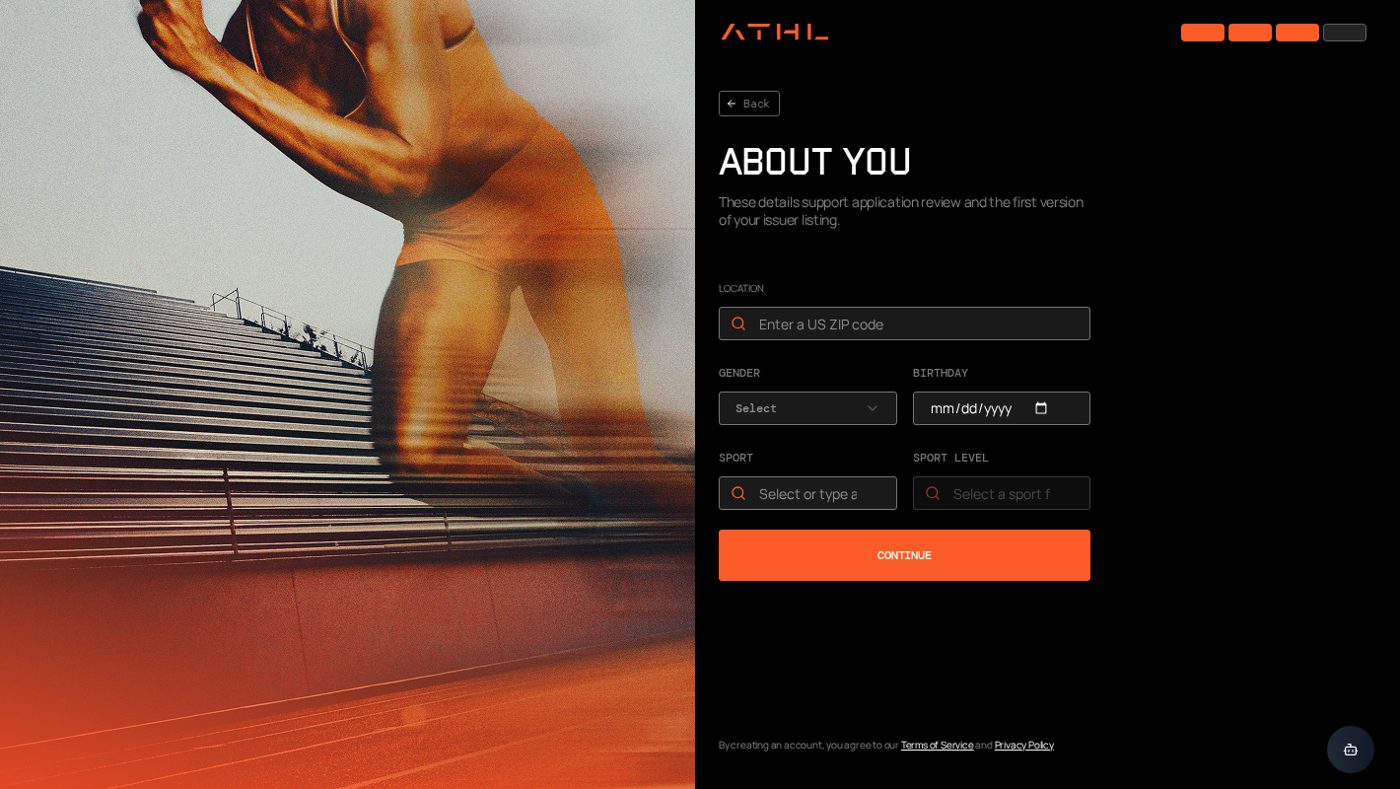
Details: athletes add sport, league, level, position, school and location. Creators skip the sport fields and add their platform and content category instead.
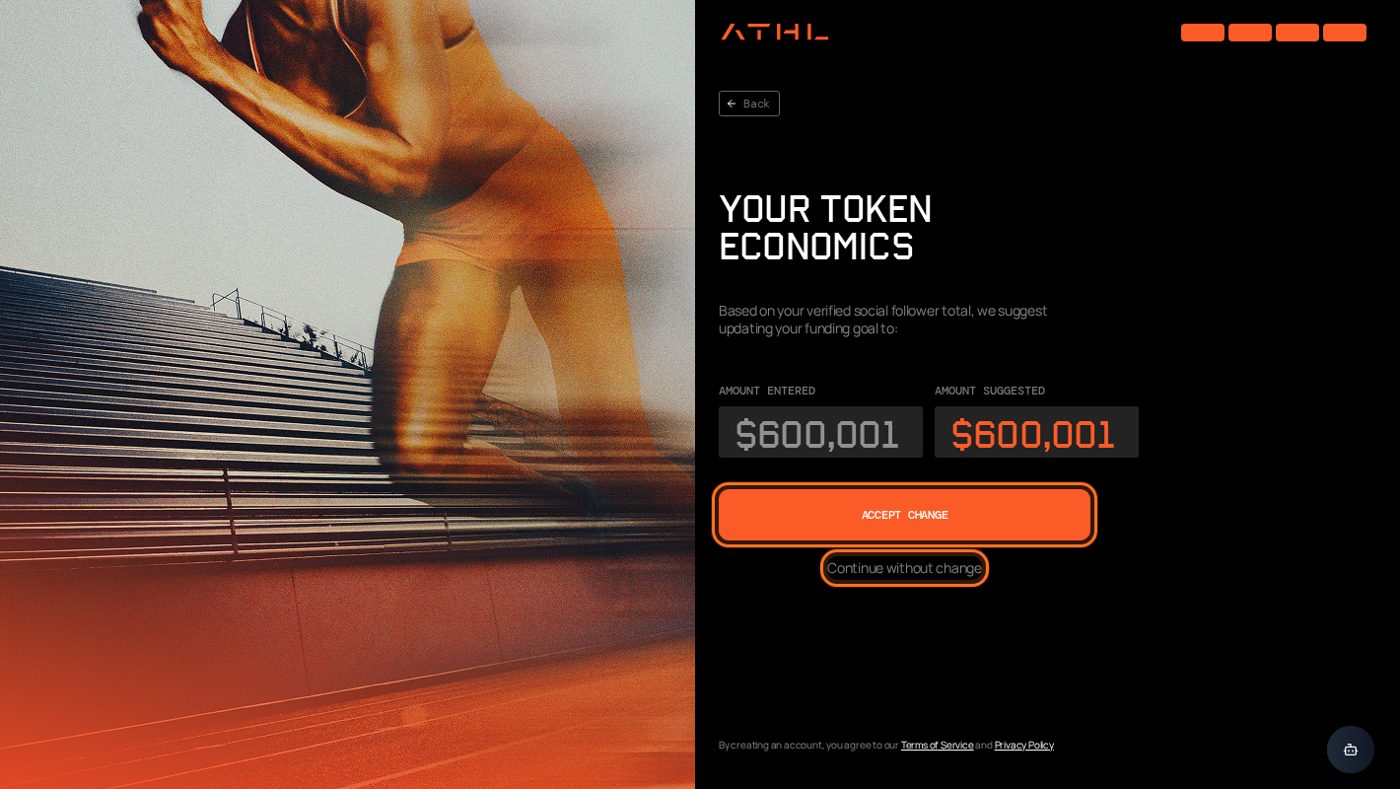
Token economics: review ATHL's suggested funding amount. Choose Accept Change to use it, or keep your own figure, then submit.
The details step for athletes.The final step shows ATHL's suggested token economics.
Your progress is saved as a draft, so you can leave and come back.
After you are approved
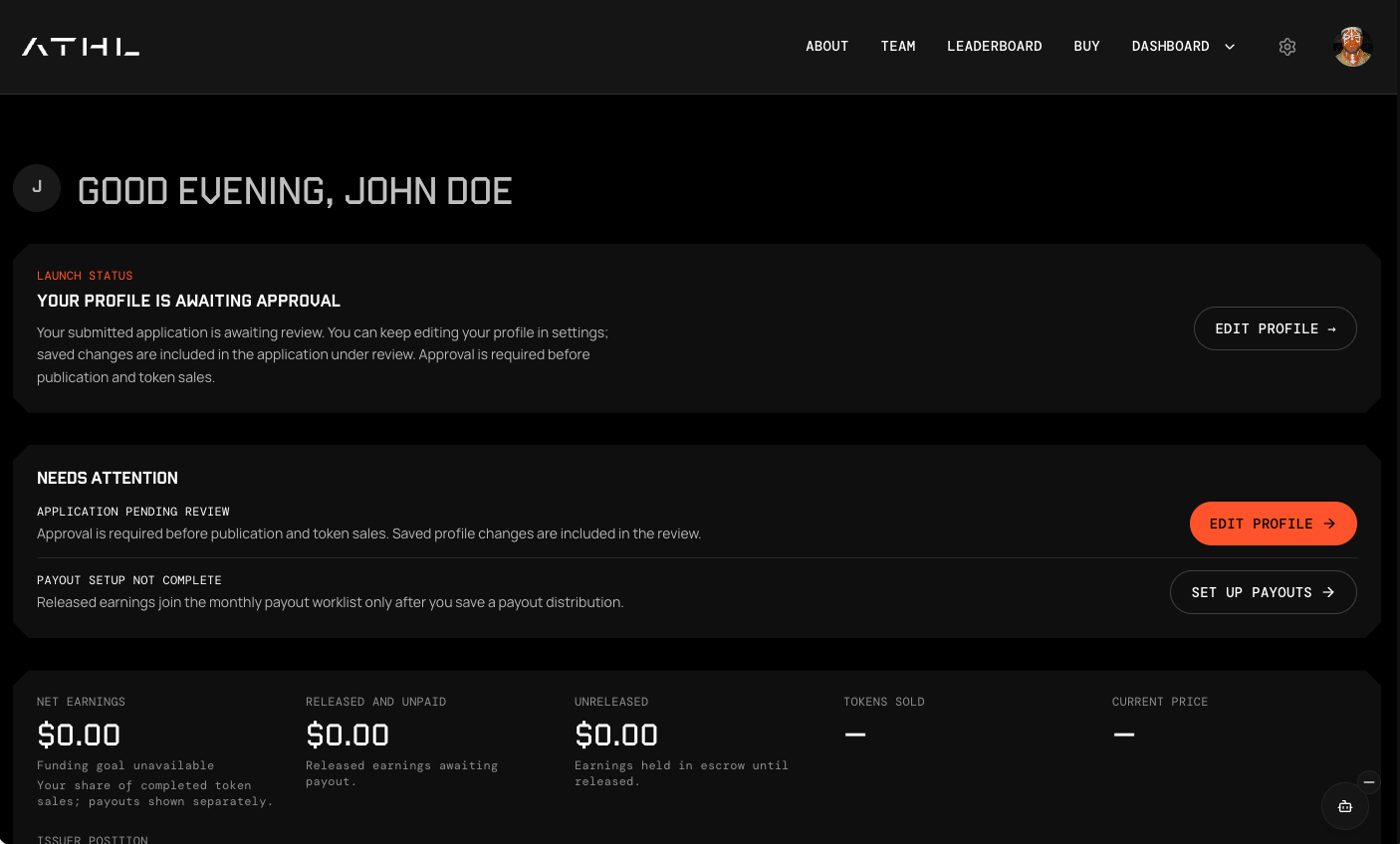
Approved issuers get an Issuer Dashboard that brings together:
token value and sales
payouts and your payout method
audience demographics and your fans
referral activity
a full transaction history
The Issuer Dashboard. While your application is under review you can keep editing your profile.
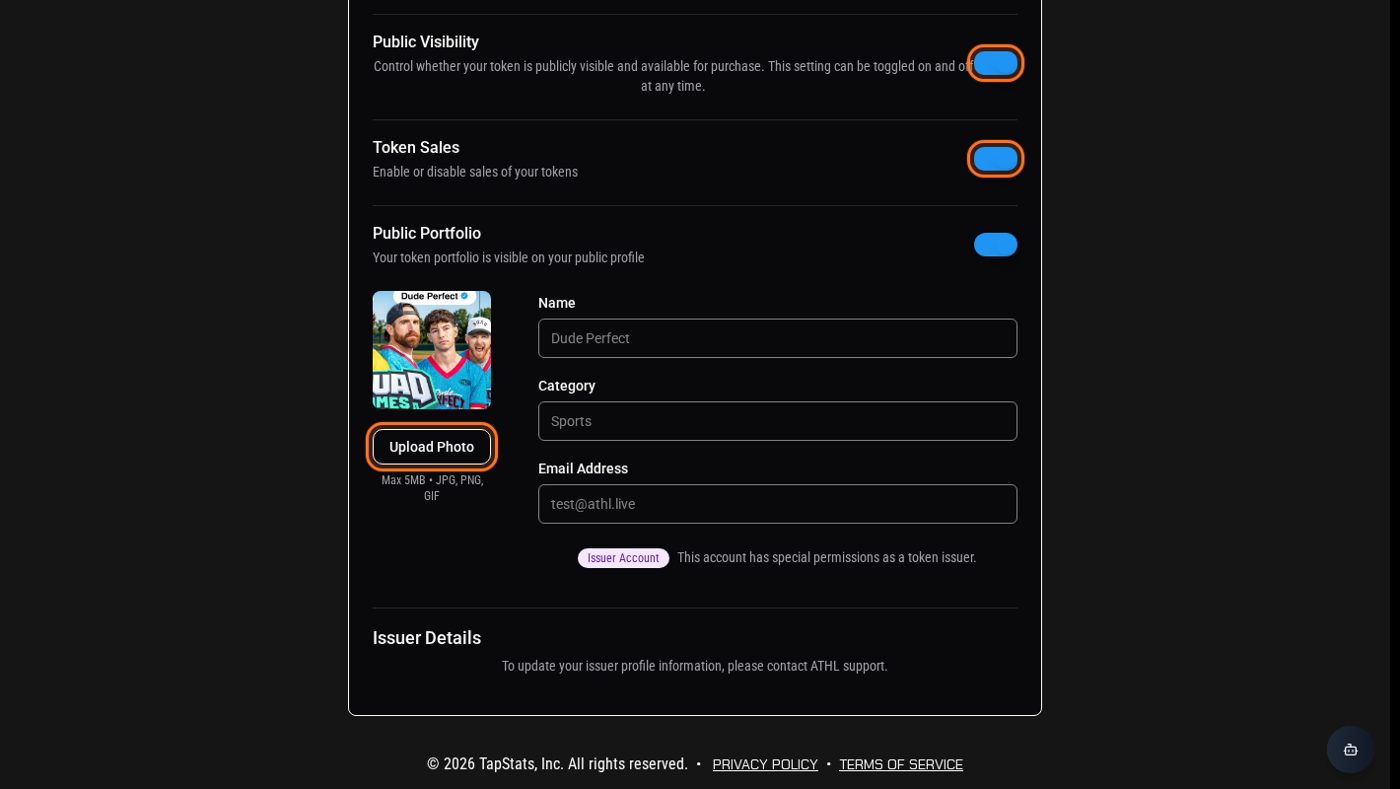
Use Settings to upload a profile photo, make your profile public, and switch token sales on or off. Keep sales off until your profile looks the way you want it.
Issuer settings: photo, public access and sales toggles.
Tokens and referrals
How A-Bucks, tokens and referral commission fit together.
A-Bucks are the balance you spend on tokens. Top up from the Add A-Bucks page, using the steps in Buying A-Bucks. 1 A-Bucks always equals 1 US dollar, and you pay through Stripe Checkout. Your balance and purchases are recorded in a double-entry ledger, so every movement can be traced in your transaction history.
Tokens back a single issuer. You can follow your holdings, recent purchases and trending issuers from the Fan Dashboard.
Referrals
Referrals let anyone earn commission on revenue from the issuers they bring in.
Open the Referral Dashboard and copy your personal link.
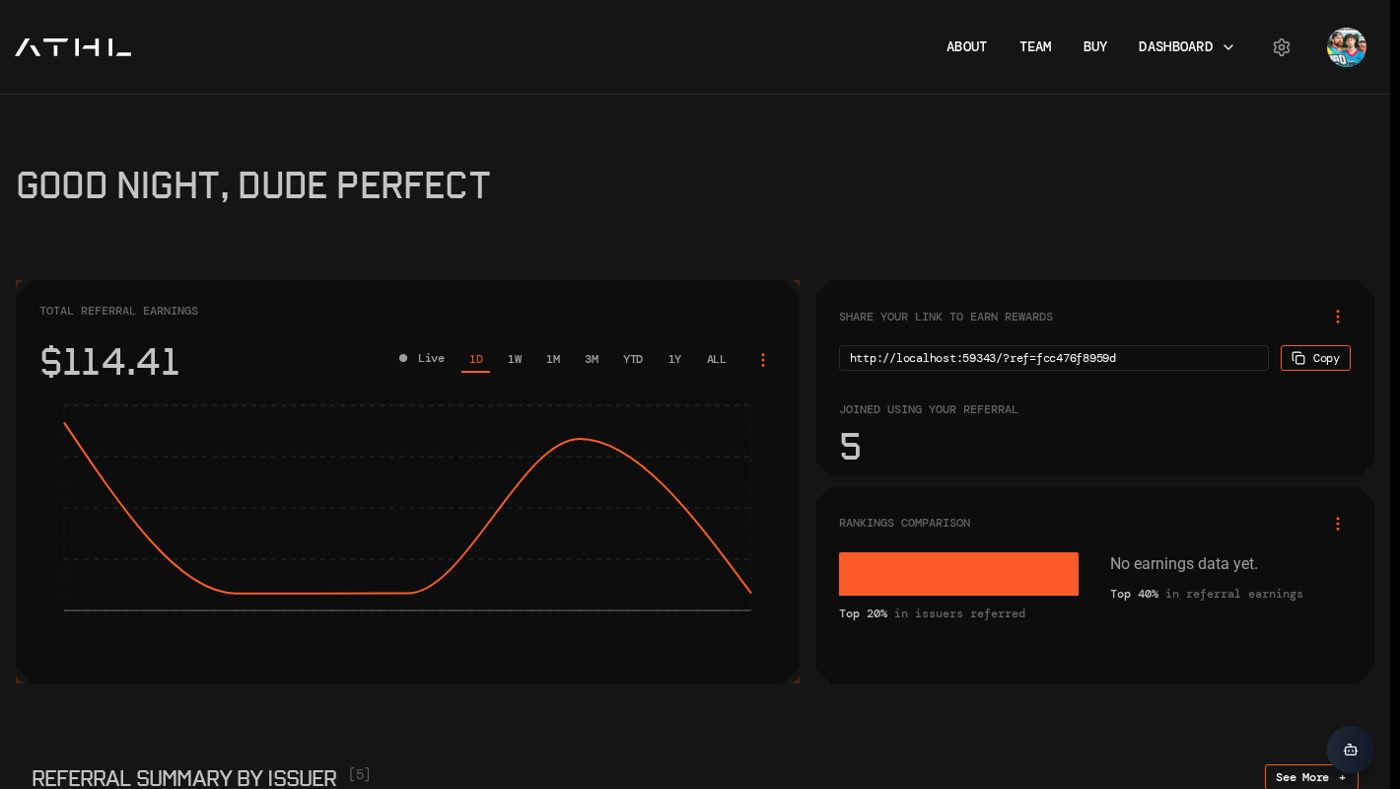
Share it. The dashboard shows how many people have joined, your earnings over time, a ranking, and a per-issuer summary.
Check Referral terms for the current commission rate, how many years it lasts from the issuer's activation, and any cap per referred issuer.
The Referral Dashboard.
Staying safe
The ATHL team will never ask for your verification code or any payment details by message, so treat anyone who does as a scammer.
Sign in only from the official ATHL website, and check the address before you enter anything.
Your verification code works as a password. Never share it or a screenshot of it.
Be wary of anyone promising guaranteed returns on a token. Token prices can fall as well as rise, and only buy what you can afford to lose.
Referral links are for sharing, but never pay someone for a "better" link or ranking.
Athletes: only the ATHL team can approve your profile. Ignore anyone who offers approval for a fee.
FAQ
Quick answers to the questions fans and athletes ask most.
Do I need an account to browse?
No. You only sign up when you buy.
Why is there no password?
ATHL emails you a one-time verification code each time you sign in.
My purchase stopped at the A-Bucks page. Did I lose it?
No. Top up the prefilled amount and the purchase resumes.
I want to follow an athlete without buying.
Use the profile's action menu to add them to your watchlist.
Why can't I buy an athlete's tokens?
The issuer may have switched sales off, or none are currently available. Sort the marketplace by availability.
Can I pay with my real card?
Not yet. Payments are in Stripe sandbox mode, so use the test card in Buying A-Bucks.
Athletes: how long does approval take?
Applications are reviewed within 48 hours.
Athletes: can I change my profile later?
Yes. Photo, public visibility and token sales are managed in Settings.
Getting help
Work through this list first. Most problems clear in a minute or two.
Contact support
Email support@athl.live and tell us what you were trying to do and what you saw.